
How to Make Your Own Paint by Sticker in 3 Steps
To make your own paint by sticker you need three things: a picture split into numbered regions, a matching set of numbered pieces, and a way to place them. A mosaic generator does all three in about a minute.
The rest of this post is about which route is worth your evening. Doing it by hand is genuinely satisfying and gives you total control. Doing it with a generator takes a minute and costs nothing. Buying the book is still the best-looking option of the three. Here's the honest comparison before you commit.
| Route | Time to first picture | Cost | What you get |
|---|---|---|---|
| Buy a Paint by Sticker book | Days (shipping) | ~$10–$15 per book | 12 fixed images, professionally illustrated, premium sticker stock |
| DIY by hand (vector editor + sticker paper) | 2–4 hours per image | Printer + sticker sheets | Total control, exactly the subject you want, one image at a time |
| Generate it online (QrdyCraft) | About a minute | Free for 100 mosaics a month | Any subject, playable on screen or printable, shareable by QR or link |
If your child already loves the Workman books and you just want more of the same, buy another book — the paper quality and illustration work are better than anything you'll print at home. The reason to make your own is that a book gives you 12 pictures somebody else chose, and your kid wants a fox.
What a paint-by-sticker page actually is
Strip away the packaging and every paint-by-sticker page is the same structure: a silhouette, cut into flat polygon regions, each region numbered, with a sheet of pre-coloured pieces carrying the matching numbers. The child's job is number-matching and fine-motor placement. The adult's job — the whole adult job — is producing that split.
That's why the DIY-by-hand route eats an evening. Drawing the fox is the fun part and takes twenty minutes. Slicing the fox into 40 regions that each map to exactly one sticker, numbering them consistently, and laying out a cut sheet is the part that takes three hours.
Here's what the automated version of that split looks like. Same shape, before and after:
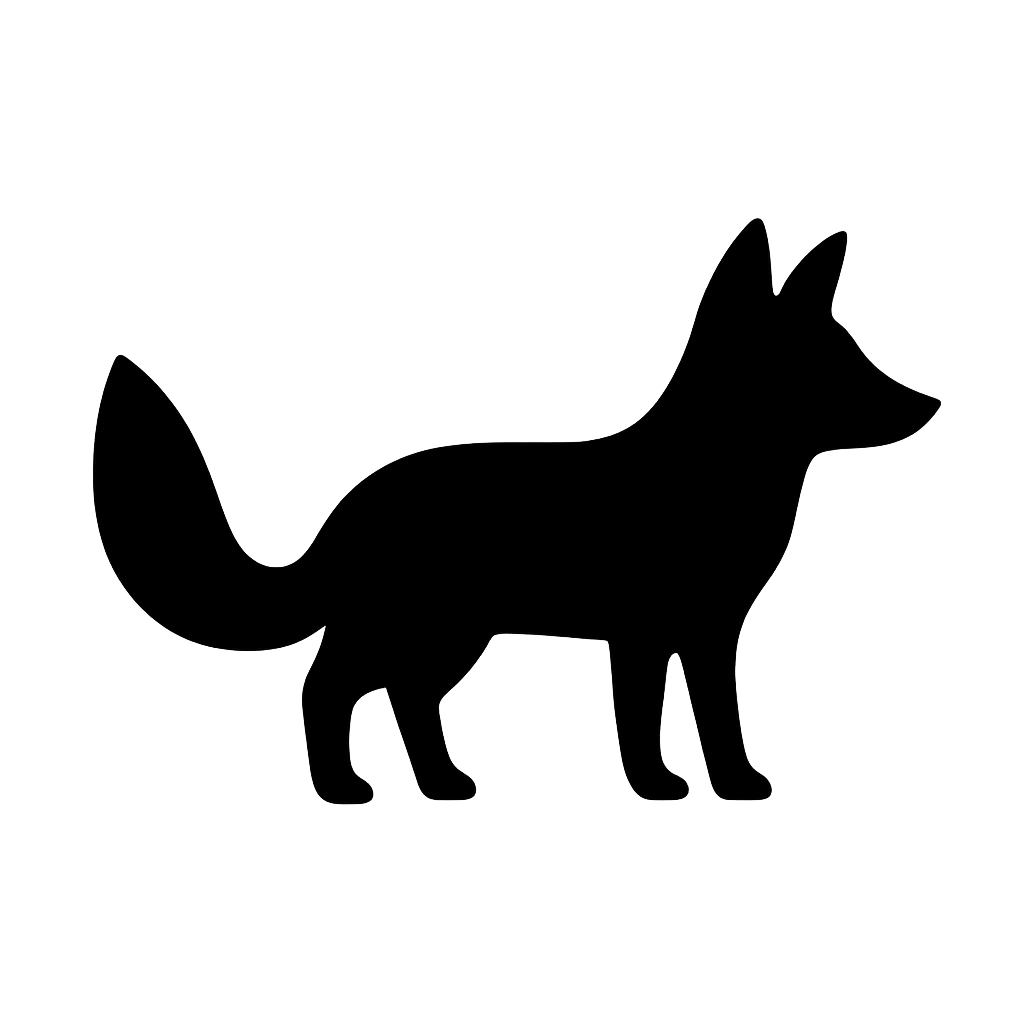
Before: the plain fox silhouette.
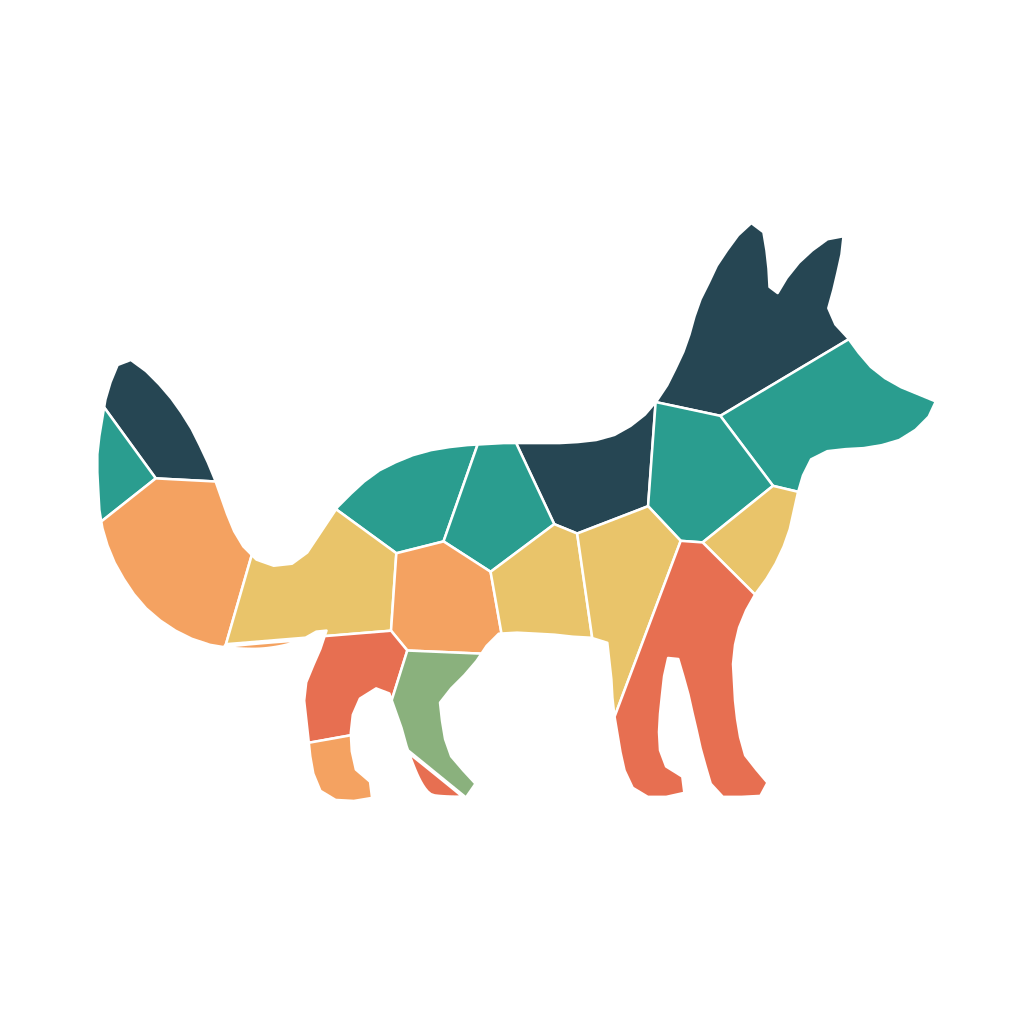
After: the same fox as a 20-piece mosaic sticker set, forest palette, medium difficulty.
How it works: 3 steps
- Pick the subject. Type a word — fox, rocket, pumpkin, dinosaur — or upload a photo. A typed word generates a clean silhouette; a photo gets traced to an outline and the original is discarded rather than stored. Either way you're steering this, not your child.
- Choose difficulty and palette. Difficulty sets how finely the shape gets cut; palette sets the colours (pastel, vibrant, ocean, forest, rainbow, candy). Pick the palette to match the season or the room it's going on.
- Play it or print it. On screen, your child drags each numbered piece into its matching region — nothing to cut, nothing to lose under the sofa. To print, download the PDF pack: a family preview page plus a print-and-cut sheet with a CutContour layer that a local decal shop's cutter reads directly.
Choosing a difficulty that fits your kid
Difficulty is the single setting that decides whether this lands or frustrates. Broadly: 20–30 large pieces for ages 4–6, 40–70 for 7–9, 100+ for 10–12.
One caveat worth knowing before you pick, because it surprised us too: the difficulty setting sets a target, but the silhouette gets a vote. A simple outline can't hold many pieces without them turning into slivers. The rocket below was generated on easy and came out at 21 pieces. The fox above was generated on medium and came out at 20 — fewer than the easy rocket, because a fox's thin legs and tail leave less area to divide. The owl, on hard, came out at 114.

A rocket on easy: 21 pieces, vibrant palette. Chunky enough for a four-year-old.
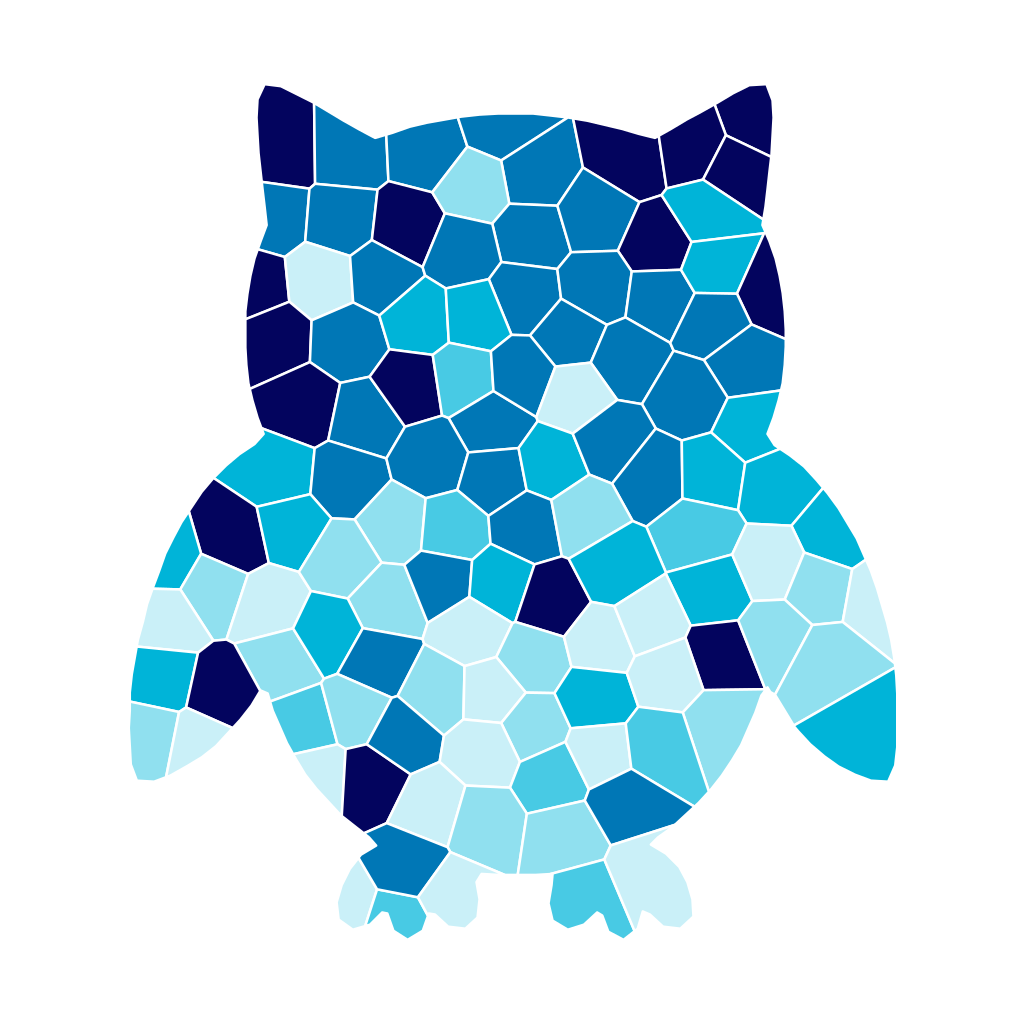
The same process on hard: 114 pieces, ocean palette. This is a rainy-afternoon project for a ten-year-old.
So don't trust the label alone — glance at the piece count on the finished mosaic before you hand it over. Broad, solid shapes (owl, pumpkin, whale) hold detail well; spindly ones (dragonfly, giraffe) stay chunky no matter what you ask for. If a mosaic comes out simpler than you wanted, regenerate with a rounder subject rather than pushing the difficulty higher.
Where the online version beats a printed one
The printed route is lovely and worth doing at least once. But two things only work on screen, and they're the reason we built the online version first:
Nothing gets lost. Every parent who has done a paint-by-sticker book knows the ending: piece 34 is gone, and the fox has a hole in it. Drag-and-drop has no piece 34 to lose.
You can hand it to someone else. Every finished mosaic gets a link and a QR code. Print the QR on a birthday card and the recipient scans it and plays the mosaic you made for them. Put it on a party invitation and eight kids play the same one. That's not something a book — or a downloadable PDF — can do.
An honest word on the alternatives
If what you actually want is a paint-by-number canvas for yourself from a family photo, tools like PBNify or paint-by-number.com are built for that and do it well: real paint, real brushes, wall-sized results. They're aimed at adults with acrylics, not at a six-year-old at the kitchen table, and none of them give you an online play mode or a shareable link.
And if you want a physical keepsake with premium sticker stock, the printed Workman books still beat home printing on materials. Make your own when the subject matters more than the paper.
Try it with one word
Type a word, pick a difficulty, and see what comes back — you get 100 free mosaics a month, which is more than one a day, so there's no reason to be careful with them.
Make your first mosaic at craft.qrdyai.com →
Not sure where to start? Browse a ready-made one like the fennec fox or the cosmic rocket in the gallery, or read what a mosaic sticker book is and how paint by sticker differs from paint by number first.
FAQ
Can you make your own Paint by Sticker book? Yes. A paint-by-sticker page is just a line drawing split into numbered regions plus a matching sheet of numbered stickers. You can build one by hand in a vector editor and print it on sticker paper, or generate the split automatically and print the result. The hard part isn't the art — it's cutting the shape into pieces that each match exactly one sticker, which is why most people automate that step.
What do you need to make paint by sticker at home? For the printed version: a design split into numbered regions, printable sticker paper or vinyl, an inkjet or laser printer, and small scissors or a craft knife. Kids under about 7 will need an adult to do the cutting. If you place the pieces on screen instead, you need nothing but a browser.
Is there a free app that turns a photo into paint by sticker? Several free tools turn a photo into a paint-by-number image, but most output a canvas-painting template for adults rather than sticker pieces. QrdyCraft is free for 100 mosaics a month and outputs numbered pieces you can drag into place online or print and cut. The parent creates the mosaic; the child plays with the result.
How is paint by sticker different from paint by number? Paint by number gives you a numbered outline you fill in with paint or markers — it dries, smudges, and can't be undone. Paint by sticker gives you pre-cut, pre-coloured pieces you place into matching numbered regions: no mess, and a misplaced piece lifts off and moves. For ages 4 to 8, stickers usually win.
What age is paint by sticker good for? Roughly ages 4 to 12, with the piece count doing the work: 20–30 large pieces for 4–6, 40–70 for 7–9, 100+ for 10–12. Because you choose difficulty at generation time, the same subject can be easy for a younger sibling and hard for an older one.
Can I print my own sticker sheets on a normal printer? Yes — printable sticker paper works in most home inkjet and laser printers, and you cut the pieces out by hand. For clean machine-cut edges, take the print-and-cut PDF to a local print shop instead; it carries a CutContour layer their cutter reads directly.
Frequently asked questions
Can you make your own Paint by Sticker book?
Yes. A paint-by-sticker page is just a line drawing split into numbered regions plus a matching sheet of numbered stickers. You can build one by hand in a vector editor and print it on sticker paper, or generate the split automatically and print the result. The hard part is not the art — it is cutting the shape into pieces that each match exactly one sticker, which is why most people use a generator for that step.
What do you need to make paint by sticker at home?
For the printed version: a design split into numbered regions, printable sticker paper or vinyl, an inkjet or laser printer, and small scissors or a craft knife. Kids under about 7 will need an adult to do the cutting. If you skip printing and place the pieces on screen instead, you need nothing but a browser.
Is there a free app that turns a photo into paint by sticker?
Several free tools turn a photo into a paint-by-number image, but most output a canvas-painting template for adults rather than sticker pieces. QrdyCraft is free for 100 mosaics a month and outputs numbered pieces that can be dragged into place online or printed and cut. Note that the parent creates the mosaic; the child plays with the result.
How is paint by sticker different from paint by number?
Paint by number gives you a numbered outline you fill in with paint or markers, so it dries, smudges, and cannot be undone. Paint by sticker gives you pre-cut, pre-coloured pieces you place into matching numbered regions — no mess, and a misplaced piece can be lifted and moved. Paint by sticker is usually the better fit for ages 4 to 8.
What age is paint by sticker good for?
Roughly ages 4 to 12, with the piece count doing the work: 20 to 30 large pieces suit 4 to 6 year olds, 40 to 70 suits 7 to 9, and 100 or more suits 10 to 12. Because you choose the difficulty when you generate a mosaic, one subject can be made easy for a younger sibling and hard for an older one.
Can I print my own sticker sheets on a normal printer?
Yes — printable sticker paper works in most home inkjet and laser printers, and you cut the pieces out by hand. For clean, machine-cut edges you can instead take the print-and-cut PDF to a local print shop; it includes a CutContour layer their cutter reads directly.