
What Is Paint by Number? 3 Kid-Friendly Versions Compared
Paint by number is a picture split into outlined areas, each stamped with a number, and a matching key that tells you which colour goes in each one. Fill every area with its colour and a finished image appears — no drawing skill required.
That is the whole idea, and it has barely changed since 1951, when Dan Robbins designed the first "Craft Master" kits for the Palmer Paint Company in Detroit. What has changed is what sits inside the box. The original kits came with a canvas and little pots of acrylic. Today the same numbered-area system shows up as free printables, as sticker books, and as drag-and-drop puzzles you play on a screen — which matters a lot if the person doing the filling is six years old and you would rather not hand them wet paint.
Paint by number vs color by number vs sticker by number
These three names get used interchangeably online, and they are not the same activity. The difference is entirely in what the child holds.
| Paint by number | Color by number | Sticker by number | |
|---|---|---|---|
| What you get | Canvas + numbered pots of acrylic | A printed page + a numbered colour key | A printed page + numbered sticker sheets |
| What the child does | Brushes paint into each area | Colours in with pencils or markers | Peels a sticker and places it |
| Skill it builds | Brush control, patience | Grip strength, colour matching | Pincer grip, precision placing |
| Mess | High — water pot, drying time | Low | None |
| Usually suits | Ages 8+ | Ages 4+ | Ages 4+ |
| Typical cost | Around $15–$40 a kit | Free to print | Around $10–$15 a book |
| Do it twice? | No — one canvas | Print it again | Print it again |
If you have searched "paint by number" because you want a rainy-afternoon activity for a four-year-old, the honest answer is that you probably want one of the other two columns. Real paint by number kits assume a steady hand and a tolerance for thirty minutes of sitting still. We wrote a longer breakdown of that trade-off in paint by sticker vs paint by number.
What a numbered design actually looks like
Every version starts the same way: a plain shape, with no detail inside it.

Before: a plain hedgehog silhouette — one solid shape, nothing to fill yet.
Then the shape is cut into areas, and each area is assigned a colour. This is the step that turns a picture into an activity.
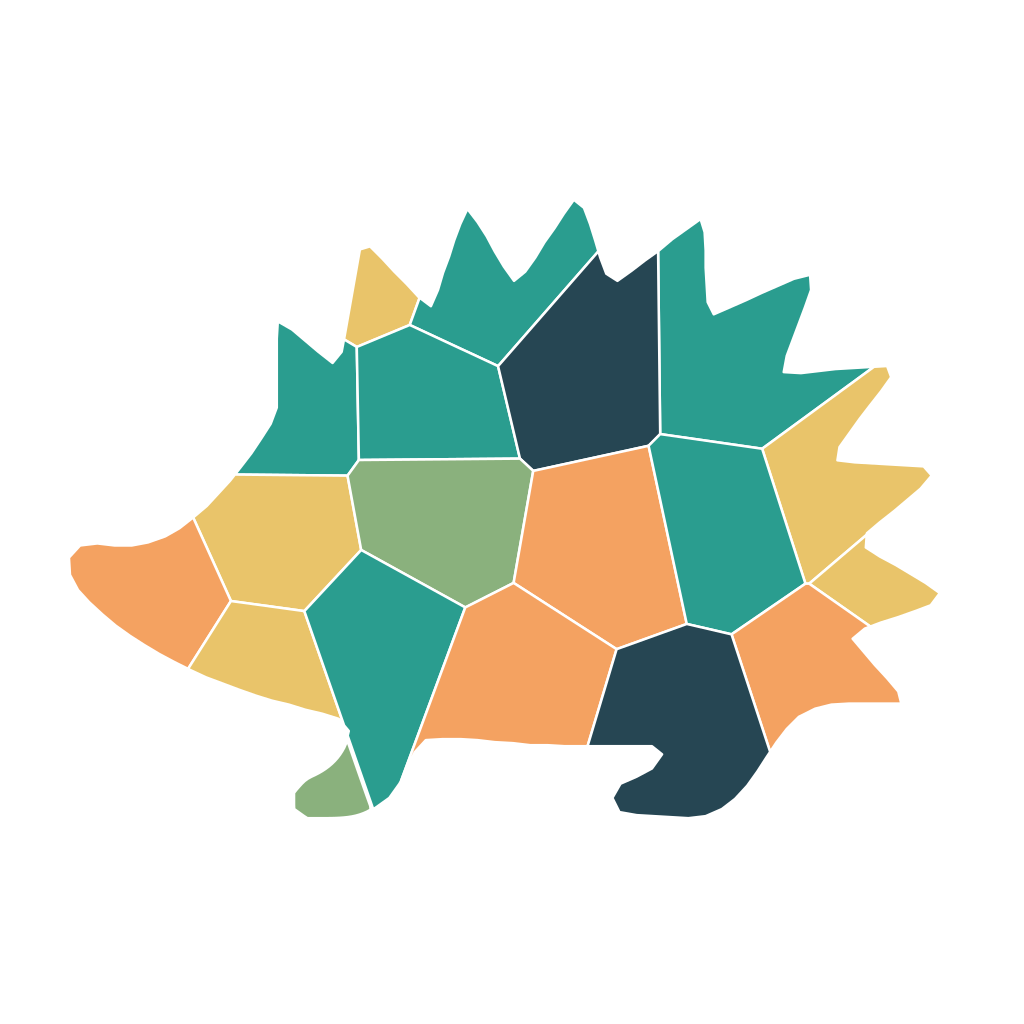
After: the same hedgehog, cut into 19 pieces on an easy setting with a forest palette. Nineteen decisions is about right for a five-year-old.
The piece count is the single most useful number to look at, and most kits and generators bury it. Nineteen pieces is a ten-minute project. Thirty-seven is closer to half an hour.
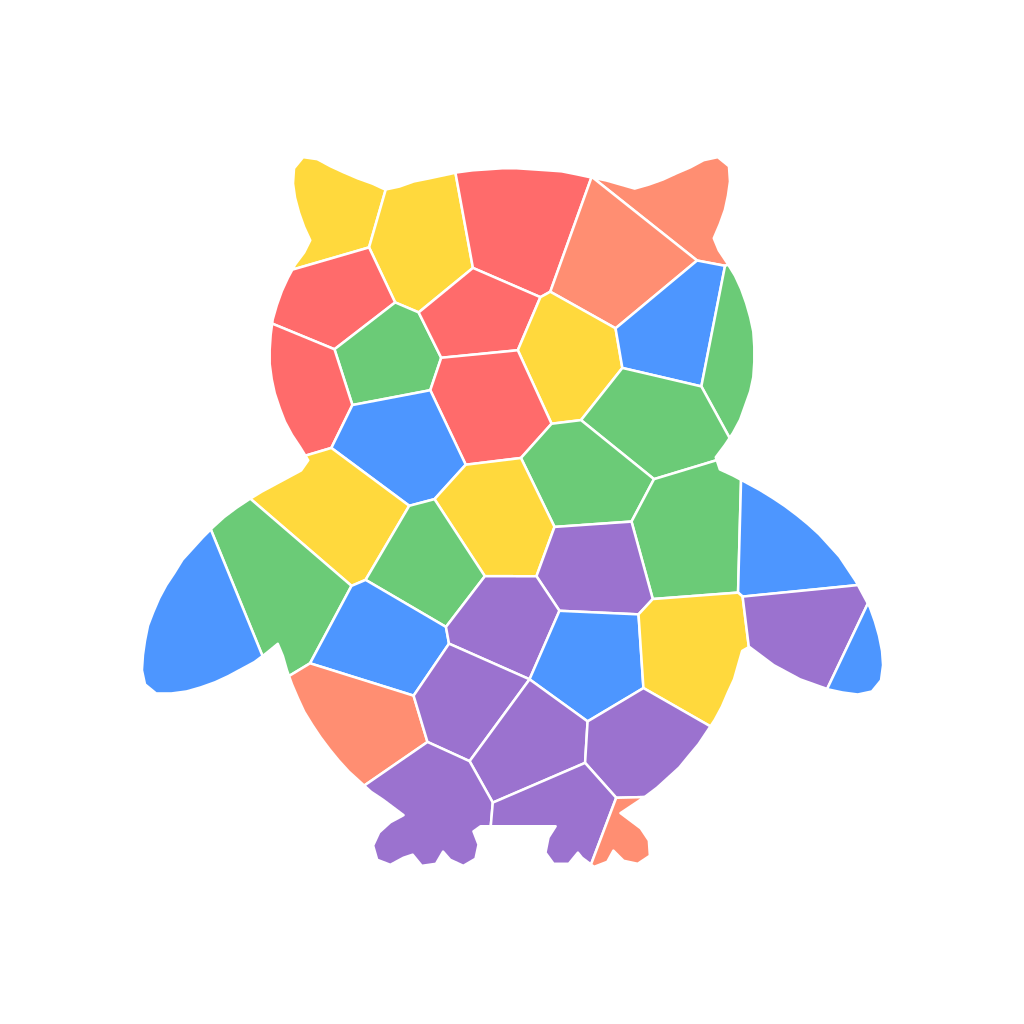
The same idea at a medium setting: an owl in 37 pieces, six colours. You can see the individual feather areas that a younger child would find fiddly.
How it works, in three steps
- Pick a picture and a difficulty. Either choose a ready-made design — a hedgehog or an owl, say — or upload a photo. The difficulty setting decides how many areas the picture gets cut into.
- Each area gets a number and a colour. The software groups similar tones together, so a photo with thousands of colours becomes a design with five or six. Fewer colours means bigger, simpler areas.
- Fill it in. On paper, that means colouring or sticking. On screen, it means dragging each coloured piece into its matching slot and watching a counter tick up — 1 of 19, 2 of 19, and so on.
Why parents end up looking at this at all
The reason paint by number keeps resurfacing has less to do with art than with attention. A numbered design removes every decision except one: which piece goes where. Children who stall on a blank page because they cannot decide what to draw usually do not stall on this. There is always an obvious next move, and the finished picture looks good regardless of skill, which is not true of free drawing.
The peel-and-place version has a second benefit that occupational therapists talk about more than artists do: picking up a small sticker and placing it precisely uses the same pincer grip as holding a pencil. If you want the full picture there, see our fine motor skills activities by age.
Making one from your own photo
You do not have to buy a kit. Several free tools convert a photo into a numbered design, and they are worth knowing about before you spend anything.
pbnify.com and davincified.com are the two most people land on. Both are genuinely free, both have no sign-up, and both are faster than anything else if all you want is a printable PDF. pbnify in particular gives you fine control over the colour count. If a printout is your endpoint, either one will do the job and we would not pretend otherwise.
Where they stop is the screen. They produce a file. Nobody plays a file — someone has to print it, and if the printer is out of cyan on a wet Sunday the activity is over.
QrdyCraft was built around that gap. The design becomes a drag-and-drop puzzle your child can finish in the browser, with a progress counter, and you can hand it over as a link or a QR code — no app to install, no account for the child, and it works on whatever device is nearest. You can still print the sticker sheet if you prefer paper. The free tier is 100 mosaics a month, which is more than one a day; past that there is a paid plan. That is a real limit and we would rather state it than have you discover it. We compared the printable-only tools in more detail in free paint by number generator: 6 tools compared.
Turn a photo into a playable mosaic on QrdyCraft →
A note on the "is it really art" argument
This question has followed paint by number since the fifties, when critics dismissed the kits as painting-by-rote while millions of people bought them anyway. The useful version of the question, for a parent, is narrower: does a numbered activity crowd out open-ended creating? In practice most families use both, and the numbered version tends to be the one that gets a reluctant child to the table in the first place. Treat it as a warm-up rather than a substitute and the argument mostly dissolves.
Frequently asked questions
How does paint by number work?
A picture is divided into outlined areas and each area is given a number. A key tells you which colour matches each number. You fill in every area with its assigned colour and the finished image appears, with no drawing or colour-mixing required.
What age is paint by number for?
Traditional acrylic paint by number kits usually suit ages 8 and up, because they need brush control and the patience to sit through drying time. The colour-by-number and sticker-by-number versions of the same idea work from around age 4, since a pencil or a peel-and-place sticker is far more forgiving than a wet brush.
What is the difference between paint by number and color by number?
The numbering system is identical; only the tool changes. Paint by number comes with a canvas and pots of acrylic. Color by number is a printed page you fill in with pencils or markers, which means no mess, no drying time, and you can print the same design again.
Can you turn your own photo into a paint by number?
Yes. Free online generators such as pbnify and davincified reduce a photo to a handful of colours and output a printable numbered design. QrdyCraft does the same and also turns the result into a drag-and-drop puzzle you can share by link or QR code, with 100 free mosaics a month.
Is paint by number real art?
Critics have argued about this since the 1950s. For a parent the more useful question is whether it crowds out open-ended creating, and in practice most families use both. A numbered design is best treated as the thing that gets a reluctant child to the table, not as a replacement for free drawing.
How long does a paint by number take?
It depends almost entirely on the piece count, which is the number most kits bury. Around 20 pieces is a ten-minute project suitable for a five-year-old; around 40 pieces runs closer to half an hour; a few hundred pieces is an adult-length sitting.